Have you wondered what Sling TV is and whether it’s worth it for your family? Check out our honest review, the pros and cons, and all the options on how to get started for free!
(Psst! You can stream 300+ channels for FREE with Sling Freestream!)

Have you considered Sling TV or wondered if it’s worth the price? Hopefully this quick review of Sling will help you decide whether or not it’s right for your family!
Sling TV Reviews: What is Sling TV?
Sling TV is a paid service that lets you instantly stream the most popular live sports, shows, and movies for a low monthly price.
Whatever you’re watching is currently live — so you’re watching what would normally be playing on television. This is why so many people choose it as a cable alternative at a lower price.
What channels are on Sling TV?
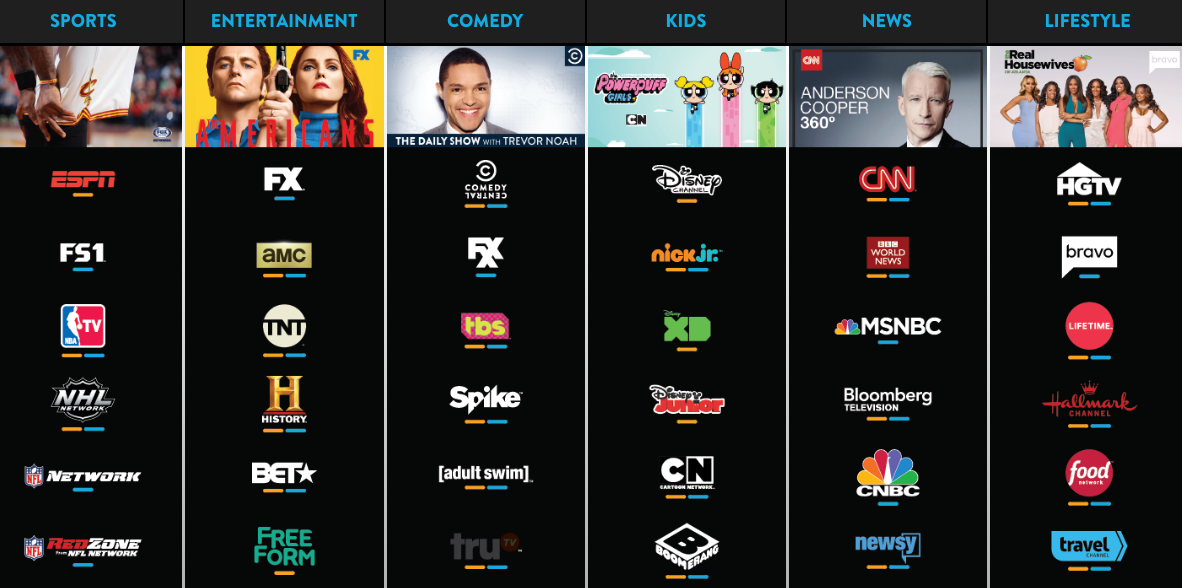
Sling offers a huge variety of channels, and most of them are channels you’d have to pay for with cable.
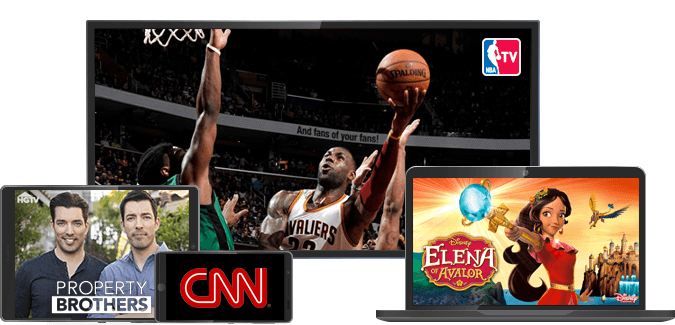
Some examples include CNN, HGTV, ESPN, ESPN2, Food Network, Disney for kids, Lifetime, TBS, and TNT. You can browse ALL their channels here.
We’ve personally had a Sling TV account for the past six months or so and have really enjoyed it. We’ve never had cable TV, so this feels like an amazing luxury at a more affordable price!
Sling TV Cost – How much is Sling TV?
We initially paid for it so that Silas and Jesse could watch different sports on ESPN. But us girls love that we can get Food Network, HGTV, and the Hallmark Channel.
It’s also nice when there are major news events because we have access to multiple channels with live coverage. Plus, we can watch it on our TV, on our computers, or on our phones!
If you’ve thought about trying Sling, keep reading for a few of the pros and cons, based upon our experience and the experience of a number of my readers who shared their input on a Facebook Live video I did a number of months ago:
Pros and Cons of Sling TV
If you’re considering whether Sling TV is right for you, check out this list of pros and cons we put together!
Pros of Sling TV
:: There are no long-term contracts or hidden fees. You’re never locked in. You can easily cancel online at any time you’d like. This is my favorite thing about Sling! If we ever found we aren’t using it Sling enough, I love knowing that we can just hop online and cancel our subscription. It’s SO easy to do, and you can always resubscribe again at a later date. We initially signed up for a trial subscription and then canceled with no issues at all. We then later decided to subscribe so that the guys could watch ESPN. (See below.)
:: You can watch from anywhere on any device at any time. It’s accessible on your tv, tablet, computer, or phone.
:: It gives you access to sports. You might have everything you want with your other streaming services, but if there’s a sports fan in the family, you can bet there are some complaints about access to sports coverage. Sling TV allows you to avoid cable costs by sticking with your streaming services, but still gives you access to some of the sports you’re missing out on.
{This is one of the main reasons people sign up with Sling TV. With a husband who loves sports, this was the only non-cable option we could find that would allow him to watch some of the sports he loves so much!}
:: It’s really nice for world events. We’ve used it for post-presidential debate coverage on CNN and also for the Olympics! It’s really convenient to have live coverage for world events.
:: It’s significantly cheaper than most cable packages. Packages start at just $20 per month (for the first month) for 31 channels. You likely will not find those prices anywhere with a cable subscription.
:: You get access to HGTV. Okay, okay. I realize this might not be a “pro” for everyone… but our family adores HGTV. My kids and I really love it, and it’s something we enjoy watching together. I love having access to it through Sling!
:: It gives you options in more remote areas. If you live in a rural area where you can’t access local channels with rabbit ears, this is a really great budget-friendly replacement for cable.
Cons of Sling TV
:: According to some of you, reception can be spotty at times. I haven’t personally experienced this, but I’ve heard about this from a few of you, so I thought I’d mention it.
:: You might not need it if you live in a big city. If you live in or near a bigger city, there’s a chance you might be able to pick up quite a few of the local channels with simple rabbit ears and not need to pay for a service like this. It really depends on why you’re using Sling, though.
:: You don’t get to individually pick your channels. I really, really wish they had the option to pick only the channels you want and modify your price accordingly. For example, we pay for the $40 package that gives you access to 31 channels, but we only actually use a handful of those.
:: They don’t have as many news or sports stations as you get with cable. While Sling gives you access to sports and news, you still won’t have nearly as many options as you would with a cable subscription.
How to Get Started with Free Sling TV (& Other Options)
There are several options to get started, depending on what you’re looking for!
Is Sling TV Free?
If you’re looking for a way to stream Sling TV for FREE, you’ll want to sign up for Sling Freestream! This is their completely FREE streaming service that gives you ad-supported access to over 300 live channels, tv shows, movies, and more!
No credit card required and no strings attached. This is just a completely FREE streaming service that Sling TV offers.
Sling TV Free Trial
Looking to try a free trial of Sling TV? Simply sign up to try Sling TV for FREE for 3 days! You can watch on 15 different compatible devices, including AppleTV, Roku, FireTV, Smart TVs, and more.
What channels are on Sling TV?
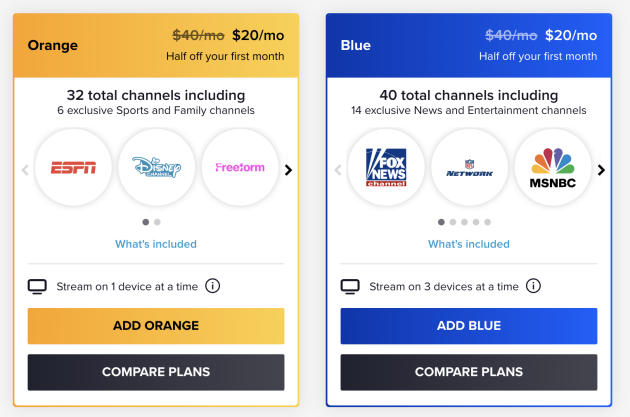
After your free trial, you can choose from the following plans with various channel options:
ORANGE: 31 channels for $40: ESPN, AMC, CNN, HGTV, Comedy Central, Cartoon Network, History Channel, TNT, Food Network, BBC, Travel Channel, Disney Channel, ESPN, ESPN2, Freeform, and more.
BLUE: 41 channels for $40: Many of the channels listed above, plus Nick Jr, National Geographic, NBC, Fox, Fox Sports, Syfy, and more. (This almost seems like the best option if you’re only using it for sports, as it gives you access to multiple extra sports channels.) Just be careful! This option doesn’t give you access to some of the popular channels you get with the $20 subscription.
ORANGE AND BLUE: 47 channels $55: This option gives you access to all of the 47+ channels they offer.
Psst! And remember you can get 300+ completely FREE live channels, tv shows, movies, and more with Sling Freestream!

Sling TV FAQs
It depends on your preferences, but Sling TV is a great choice if you want to pay a low price for popular live channels, with customizable add-ons that you can opt into if you’re willing to pay the extra price.
Sling currently has 3 different packages — and you can get 50% off your first month!
1. Orange (31 channels for $40/mo.) Best for sports lovers and families.
2. Blue (41 channels for $40/mo.) Best for pro football lovers and news junkies
3. Orange & Blue (47 Channels for $55/mo.) Best for everything!
Yes! Every Sling TV customer receives their cloud-based DVR Free service. With DVR Free you get 50 hours of recording capacity, free!
Have you tried Sling TV before? If so, I’d love to hear your thoughts on whether it is worth the cost.









 What I’m Learning

























 Over the years, I’ve heard the question again and again and again: How do you actually