

Missed the other posts in this series? Read them here.
Guest post from Mandy White
Today is Day 4 of Organizing Your Important Documents, and marks our last section: Property Information. On Monday, we will go over some suggestions and tips for putting everything together, but the hard parts of gathering and compiling are nearly through.
Once again, please make sure you are using a secure computer or hand-writing this information. Let’s get started!
Home
Property Deed or Lease Agreement
Mortgage/lease information
Mortgage/lease holder contact information
Monthly payment amount and due date
Start date and term length of mortgage/lease
Home or Rental Insurance policy, and agent contact information
Property Tax information
Inventory of major household items (excluding electronics; be sure to include jewelry, art, and major household appliances like the Central AC/Heating Unit)
Item description, Serial Number, Year purchased
Replacement value and receipt (if you have it)
Warranty and repair information
List of major renovations or upgrades
Project, Date, Cost of projects
Contractor’s contact information (if applicable)
Vehicles
Vehicle Title
Insurance
Insurance company and agent contact information
Policy
COPY of your insurance ID card
Motor Vehicle Division information and COPY of vehicle registration
Note: PLEASE don’t put your actual registration in here! That needs to remain in your vehicle, along with your original insurance ID card.
Maintenance/repair receipts
Any other vehicle documents (such as Bill of Sale)
Computer(s)
Software registrations and key codes
Wi-fi password
Backup of your computer, updated regularly
We were extremely blessed to receive a travel hard-drive for Christmas to use to backup our computer. It is designed for this exact purpose, and came with the software to do so already loaded. However, travel hard-drives aren’t exactly cheap, so watch for sales, or think about requesting one as a gift. If you participate in the rewards programs from the office supply stores, you might want to save up enough points to purchase one.
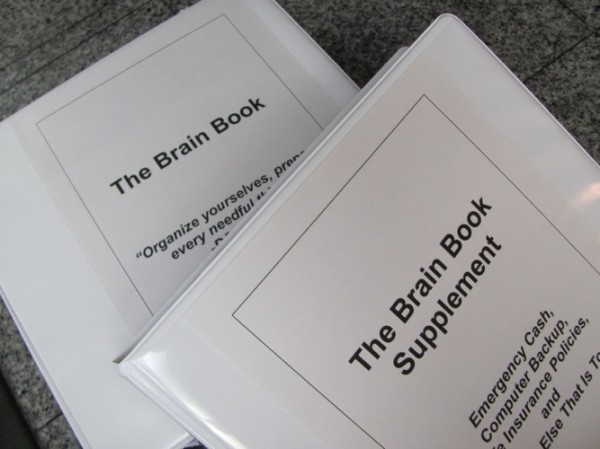
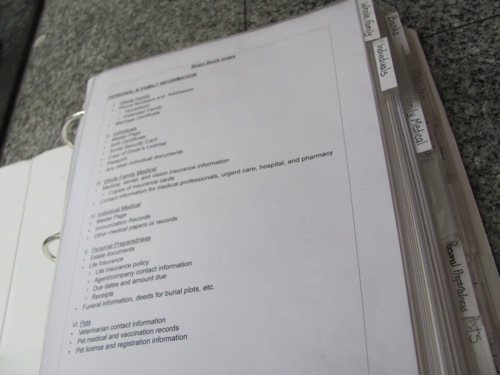
As great as travel hard-drives are, using flash drives, or even DVD’s are also effective backup methods, and less expensive. You just want to make sure your pictures and data are protected from loss. Because our travel hard-drive is kind of bulky (about the size of a large smart phone), I keep it in a zippered pocket in the “Brain Book Supplement”. This is a second book that is specifically for bulky items. I will give you more information on it tomorrow.
Electronics
Inventory of electronic items
Item description
Serial Number
Year purchased
Replacement value and receipt (if you have it)
Warranty and repair information
If you like, you may download a printable version of this index (for personal use only).
Tomorrow, we will finish up with some final notes and tips for putting everything together.
Mandy White is blessed to be a stay-at-home wife and mother. She and her amazing husband have three amazing kids. She loves to serve others, and her favorite time of year is fall. Unfortunately, in Arizona, fall doesn’t start until November!








 A testimony from Kiersten who blogs at

 Do you have a fun and frugal DIY idea to share? I’d love to hear about it! Read the submission guidelines and submit it