


With help from Mandi from Jungle Deals & Steals, we’ve now added a snazzy new Amazon Search Alert feature to MoneySavingMom.com!
The Search Alert tool allows you to not only search for your favorite products in an easy-to-use interface, but it also lets you create a wishlist of your favorite items and notifies you when those hit your buy now price!
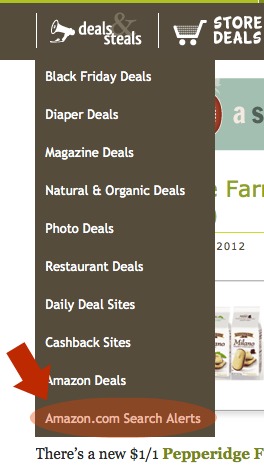
You can find it in our dropdown menu under Deals & Steals. Just click on the Amazon.com Search Alerts link as shown above.
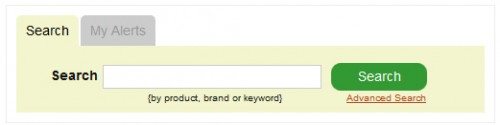
One you’re on the Search Alerts page, simply type in a search term in the box below, something like “Bob’s Red Mill” or “Melissa Doug”.
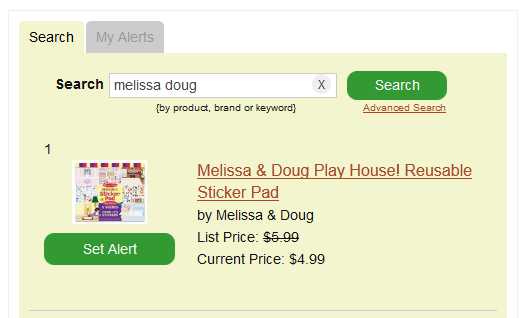
Then, when you find the product you want to add to your wishlist, click on Set Alert. Type in your email address and your alert price and click Save.
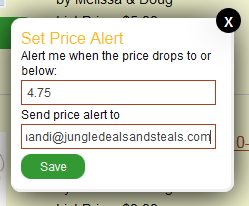
You’ll receive an email when the Amazon.com price drops below your alert price. Or see all of your wishlist items by clicking the My Alerts tab.
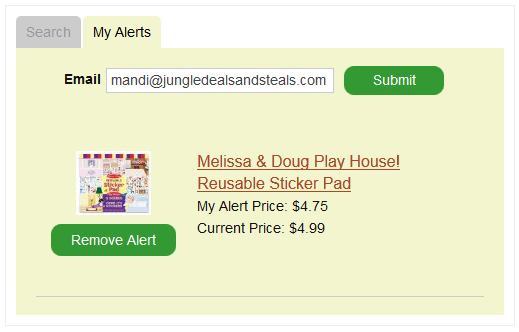
That’s it! You’re all set up and good to go!





















 Do you have a fun and frugal DIY idea to share? I’d love to hear about it! Read the submission guidelines and submit it