


Guest post from Rachel of Nothing if Not Intentional
In the world of photography, Adobe Photoshop is the gold standard for editing software. However, as anyone who has priced this software knows, it can be expensive. Lucky for you (and me!), there are several alternatives that will allow you to edit, create, and manipulate images for free!
Smartphone Apps
Camera phones have come so far that many people have abandoned their regular camera in lieu of their smart phones. If this is you, there are a variety of free phone editing apps. Instagram, PhotoFunia, and Photoshop Express are well-liked options.
Picasa
For those who prefer a traditional point and shoot or DSLR camera, Picasa (by Google) is one of the most popular and user-friendly choices.
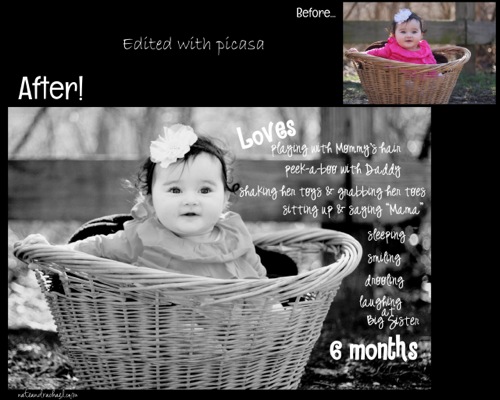
The program is intuitive. Open a picture and then click through several tabs that offer basic edits (such as crop, redeye, straighten), lighting and color issues (like color temperature, fill light, shadows), and fun effects (border, black and white, vignette, etc.).
There is also an option on the toolbar that will allow you to make a photo collage. Click here fo a tutorial on adding text and creating a milestone pictures using picasa.
Gimp
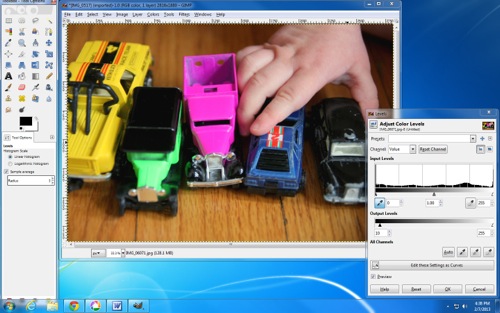
One of the most powerful image editing options is Gimp. (Many people claim it rivals Photoshop!) With Gimp, you can explore advanced editing techniques like manipulating layers, adjusting color levels, editing with curves, and applying filters.
Do these terms sound unfamiliar or foreign? Unfortunately, since Gimp is a free program, it doesn’t come with customer support or a fancy user manual. However, there is a thriving community of Gimp users online who are happy to share their Gimp-related tutorials.
Internet-Based Options
Both Gimp and Picasa are software programs that are downloaded to your computer. If you’d prefer not to download a program, there are several internet-based editing options:
- FotoFlexer
- Pixlr
- iPiccy
- Ribbet
- Photoshop Express Editor
- PicMonkey
- and many more!
Online programs will often offer basic edits and effects for free and then allow users the option to upgrade and pay for premium features.
So which of these programs is best? For those who remember Picnik, Ribbet will feel and look very familiar. Personally, I prefer PicMonkey and iPiccy. Picmonkey is simple and organized. I often use it to make collages for my blog or Facebook page. Ipiccy is completely free and offers more advanced options (like curves, clone, and levels).
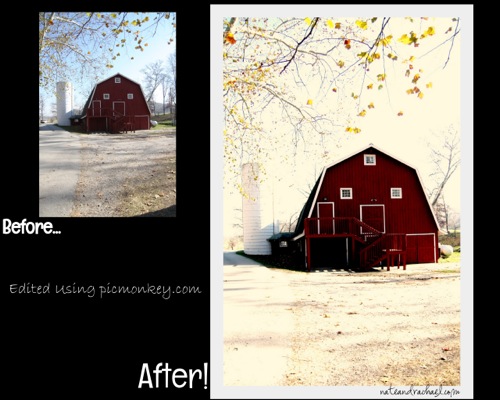
While most professionals will continue to pay for their photo editing software, there are plenty of free alternatives for anyone who simply wants to capture and edit family pictures or even explore photography as a serious hobby without spending money on editing tools.
What are your favorite free photo editing programs?
Nothing if Not Intentional started as a blog to share stories from Nate and Rachael’s ten trips to Guatemala. It is now an outlet for Rachael’s writing (she’s a former English major), and a place to share stories from their travels (Nate’s a pilot) and life with two young girls. Photography is one of their favorite shared hobbies.