

With help from Mandi from Jungle Deals & Steals, we’ve now added a snazzy new Amazon Search Alert feature to MoneySavingMom.com!
The Search Alert tool allows you to not only search for your favorite products in an easy-to-use interface, but it also lets you create a wishlist of your favorite items and notifies you when those hit your buy now price!
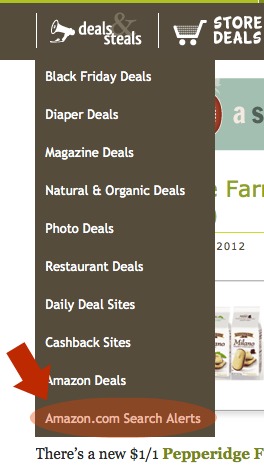
You can find it in our dropdown menu under Deals & Steals. Just click on the Amazon.com Search Alerts link as shown above.
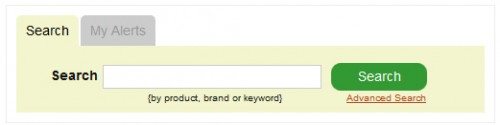
One you’re on the Search Alerts page, simply type in a search term in the box below, something like “Bob’s Red Mill” or “Melissa Doug”.
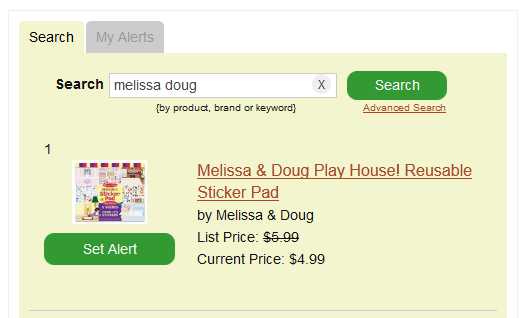
Then, when you find the product you want to add to your wishlist, click on Set Alert. Type in your email address and your alert price and click Save.
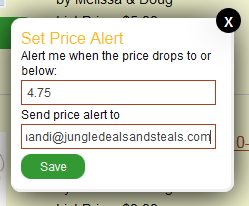
You’ll receive an email when the Amazon.com price drops below your alert price. Or see all of your wishlist items by clicking the My Alerts tab.
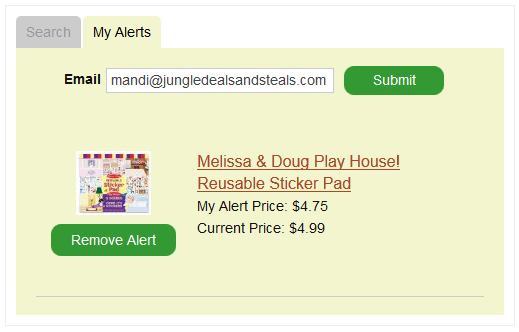
That’s it! You’re all set up and good to go!

Thanks. I’m setting price alerts everywhere I can for a purchase I just made with Discover, now that I know they refund the difference within the first 90 days if I find a lower price.
What a FANTASTIC tool! Thank you! I already use wish lists on Amazon (they help inspire me to keep up on my Swagbucks) but this is even better. 🙂
Does info get wiped out when cookies are cleaned off of the computer?
Good question, I’d like to know as well please.
I have my cookies set to clear whenever I close my browser (I think), and when I re-opened Firefox, I just had to put in my e-mail address, and all my alerts were there. So, in my very non-tech opinion, the alerts seem to “stick.”
How cool is that?! Awesome! Thank you!
Agreed! Thank you!
You should also check out camelcamelcamel.com. They do the same alerts for multiple retailers and it gives you the pricing history of each product so you know the best price it’s ever been sold for.