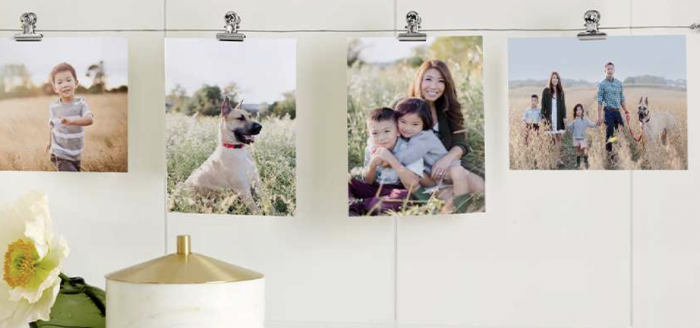
Snapfish: 20-Page 5×7 Softcover Photo Book for $1.99 shipped

by Crystal on January 24, 2013

Snapfish is offering a 20-Page Softcover 5×7 Photo Book for free when you use coupon code HPREWARD at checkout. Shipping is $1.99.

This offer is valid through January 31, 2013.

Thanks, Common Sense With Money!

Subscribe for free email updates and be entered to win $100!

PREVIOUS POST: The best freebies from this past week

NEXT POST: Free ebooks: Healthy Breakfasts for Kids, Declutter Your Life, How to Save Money on Laundry, Meals Under $10, plus more!

{ 12 comments... read them below or add one }

  • Candy January 24, 2013 at 06:48 pm

    Thank you!! Just ordered mine, what a great deal!

  • Camille Craw January 24, 2013 at 10:32 pm

    Any idea if you can order more than 1?

    • Tracy January 26, 2013 at 12:21 am

      It will only let you use it once. :(

  • Anshu January 25, 2013 at 09:03 am

    Just used it successfully. Thanks for sharing.

  • Luba January 25, 2013 at 09:25 am

    Thank you so for the great deal, Crystal!

  • Heather P. January 25, 2013 at 03:11 pm

    Thank you!!! This is a great deal!

  • Debbie January 26, 2013 at 03:29 am

    Thank you! I try to always take advantage of these as they make great gifts. If kept for myself, it makes me feel like I’ve done a little catching up on my scrapbooking!

  • Mary Ellen January 26, 2013 at 07:29 pm

    This is awesome! I took photos of the kids this morning in my homemade photo area, and now they are on snapfish for Valentine books for the grandparents!

  • Emily January 29, 2013 at 09:47 pm

    For some reason, it is saying that this coupon code cannot be used with my order. I made a 5X7 soft cover book…Any idea why it won’t work?

    • Tiffany January 30, 2013 at 08:05 pm

      I just tried to use it and it said the same thing. Bummer.

    • Tiffany January 31, 2013 at 07:55 pm

      I just went back to my book and noticed it was listed as “Everyday Photo Book” in the cart. This is the default option when you choose the 5×7 size. If you go to edit and switch the book from the “Everyday” book to the “Soft Cover”, the code will work. I hope this helps!

    • Robin January 31, 2013 at 09:39 pm

      I talked to customer service since the same thing happened to me. They got in my account & somehow it had switched to a different type of 5×7 book. So they just had me go back into photo books & change the type to soft cover again. It saved my old book & put it in the new one in my projects. I had to make a new cover page since it was a different type of book. Then, it worked! Hope it’s not too late for you.

{ 1 trackback }

PREVIOUS POST: The best freebies from this past week

NEXT POST: Free ebooks: Healthy Breakfasts for Kids, Declutter Your Life, How to Save Money on Laundry, Meals Under $10, plus more!